Features that keep you present
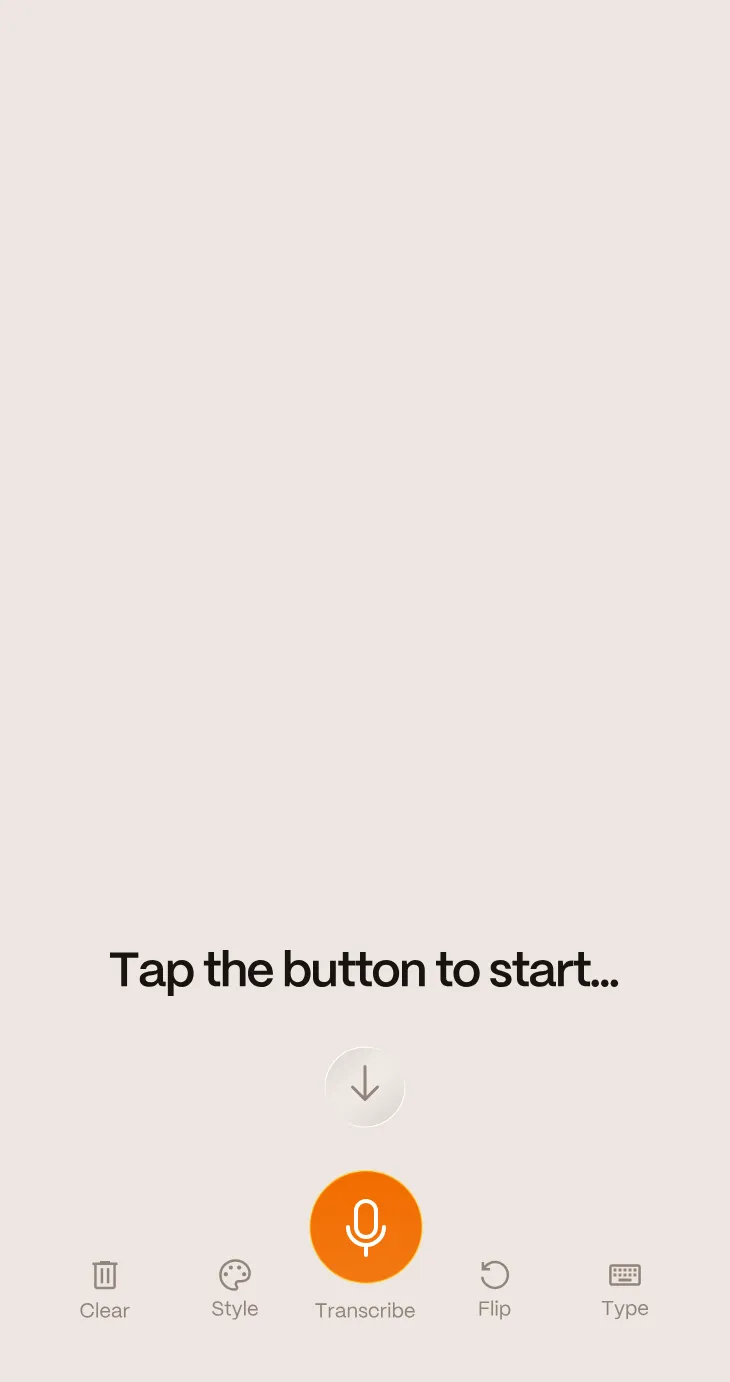
Classroom lectures, office meetings, family dinners in noisy restaurants. Life is full of moments where hearing the details is hard. Rylo's Live Transcribe gives you instant captions in-person so you can read what is being said and stay involved without having to ask people to repeat themselves.
-
Real-time captions in any setting
Hold your phone up or place it on the table and watch speech turn into text as people talk.
-
Designed for everyday life
Use it at school, at work, at the doctor, or when you meet someone new.
-
Respond on your terms
Speak out loud or type your responses for others to read. Rylo meets you where you are.
-
Capture and save key moments
Keep a transcript of important conversations so you can re-read and remember details later.
-
Flexible display options
Adjust text size, contrast, and layout so captions are comfortable for your eyes and easy to follow.
-
Doesn't require an internet connection
Rylo live works offline, so you don't need to worry about your connection during life's most important moments.
Made for real life

Follow every word in class or during training sessions

Keep up in group meetings or standups when people speak over each other

Make social events feel more relaxed and less tiring

Share your screen with others so the whole group can see what is being said
Even when the room gets loud and people talk over one another, Rylo Live Transcribe keeps up.
So you can stop worrying about what you might miss and start enjoying what you might learn.

FAQs
-
What is Live Transcribe?
Live Transcribe is a feature in the Rylo Phone app that converts speech into text on your screen in real time. It provides live captions for in-person conversations, meetings, lectures, announcements, and everyday interactions, helping people who are deaf or hard of hearing stay connected and engaged.
-
Is Live Transcribe free?
Yes. Rylo Live Transcribe is completely free to use, with no ads, time limits, or credit card required. Users can start captioning conversations in seconds and access real-time transcriptions whenever they need them.
-
How do I get and use the Live Transcribe app?
Download the Rylo Phone app from the App Store or Google Play Store on your iPhone or Android device. Then open Settings, tap Live Transcribe, and select Launch Live Transcribe. The Live Transcribe app will automatically begin generating live captions using speech recognition technology, and you can save transcriptions or customize the display to fit your needs.
-
What does Live Transcribe do?
Rylo Live Transcribe converts speech into live captions on your screen in real time. The feature can function like real-time subtitles for in-person conversations, lectures, and live events, making it easier to follow spoken content as it happens.
-
Can I save Live Transcribe conversations?
Yes. Rylo Live Transcribe lets you save transcriptions from any conversation for later reference. Transcripts are automatically saved privately to your device, making it easy to review details from meetings, appointments, lectures, or everyday discussions.
-
Does Live Transcribe need Wi-Fi?
No. Rylo Live Transcribe works offline and does not require Wi-Fi or mobile data to caption in-person conversations. You can continue using live transcription even when an internet connection isn't available.
-
Is Live Transcribe safe?
Yes. Rylo Live Transcribe is designed with privacy in mind. Transcripts are automatically saved to your device and remain private. You control when Live Transcribe is active, can pause captioning at any time, and decide whether to share transcripts with others.
-
What languages does Live Transcribe support?
Live Transcribe is available through the Rylo app, which supports more than 50 languages including English, Spanish, French (Canadian), Hebrew, Italian, Japanese and more. The app can automatically detect language changes during conversations, helping users follow multilingual discussions more naturally.